
DISPLAY SUGGESTIONS AS USERS TYPE COMPANY NAME ON YOUR WEBSITE
Description
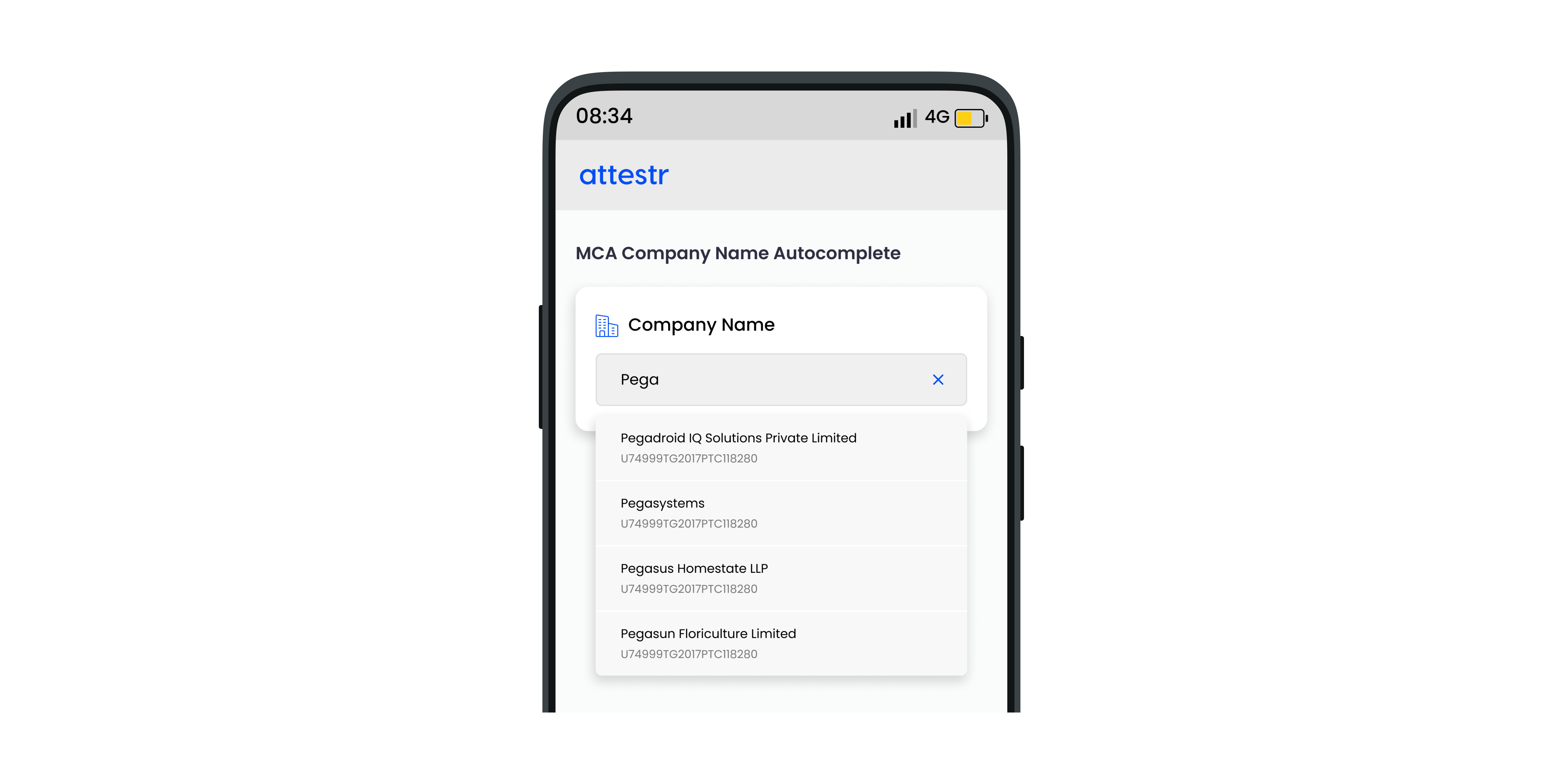
Companies usually include a search box on their website where clients may type in the first few characters of the company name and have potential full names come up automatically. With its indexed database of about 3 million registered companies in India, Attestr has made this Autocomplete feature available via a plug-and-play API.
In order to ensure continued compliance with the Digital Personal Data Protection Act, 2023 (DPDP Act), we are implementing DPDP V3 (Consent-Driven Processing). Under this framework, clients are required to obtain explicit, informed, and verifiable consent from the data principal prior to accessing, processing, viewing, or storing any personal data through the platform. This regulatory transition may require modifications to existing configurations and workflows. Clients are advised to review and update their implementations to ensure ongoing compliance with applicable data protection obligations. Further information regarding this transition can be enquired here. Learn more about this change here.
API Details
Request
Type | URL | Current / LTS Version | Min Version | Max Version |
|---|---|---|---|---|
POST | https://api.attestr.com/api/{version}/public/corpx/business/autocomplete | v2 | v2 |
Request Header Parameters
Type | Name | Value / Description | Optional | Min Version | Max Version |
|---|---|---|---|---|---|
String | Content-Type | application/json | Required | v2 | |
String | Authorization | Basic | Required | v2 |
If you do not have the authentication token, please refer to Register App
Request Body Parameters
Type | Name | Description | Optional (default) | Min Version | Max Version |
|---|---|---|---|---|---|
String | businessName | User entered text for searching business names. The text can be present anywhere in the business name. All names which contain the user provided text are returned in the response. Text must be minimum 3 and maximum 100 characters in length. | Required | v2 | |
Boolean | active | Filter autocomplete suggestions by active company status. | Optional | v2 | |
Number | limit | Limit the number of results in the suggestions. Min 1 and max 100 supported. | Optional | v2 | |
String | sort | Sort parameter. Allowed values are -score, businessName | Optional | v2 | |
Number | sortOrder | Sort order. Use 1 for ascending and -1 for descending order. sort and sortOrder must be used in conjunction. | Optional | v2 |
Sample Request
Response
HTTP status code 200
Key | Description | Type | Min Version | Max Version |
|---|---|---|---|---|
indexId | Unique Attestr index Id assigned to every registered company | String | v2 | |
type | Type of the company | String | v2 | |
status | Company status - Active, Dissolved etc. | String | v2 | |
businessName | Registered legal entity name | String | v2 | |
incorporatedDate | Incorporated date string DD-MM-YYYY | String | v2 | |
active | Boolean flag indicating if the company status is active | Boolean | v2 | |
addresses | List of all associated addresses | Array (Address Object) | v2 |
Address Object
Key | Description | Type | Min Version | Max Version |
|---|---|---|---|---|
type | Type of the address - Registered Address, Annual Return Address, Book Address etc. | String | v2 | |
city | City name | String | v2 | |
state | Name of the state | String | v2 | |
fullAddress | Complete address in one line | String | v2 |
Sample Response
Sample response for matching results found
Sample response for no records
Error Response
Parameter | Type | Description |
|---|---|---|
code | Number | Unique error codes for different errors. Always available. |
message | String | Error message describing the error. Always Available. |
details | String | Detail error message. Available only for certain types of errors. |
Error Codes
HTTP Status | Error Code | Error Message |
|---|---|---|
400 | 4001 | Malformed data or missing required parameter values |
400 | 4005 | Operation could not be performed due to low credits balance |
401 | 4016 | Invalid client authorization |
403 | 4031 | Unauthorized access |
403 | 4035 | Requested service is not provisioned for your account |
403 | 4039 | Client's IP address is not whitelisted |
403 | 4035 | Requested service is not provisioned for your account |
429 | 4291 | Maximum account rate limit exceeded |
429 | 4292 | Maximum API rate limit exceeded |
429 | 4293 | Maximum account daily limit exceeded |
429 | 4294 | Maximum API daily limit exceeded |
500 | 5001 | Request could not be processed |